

WoW has been around for ages—ever since it launched in 2004. What is the best computer to play WoW with each new expansion, from the original Vanilla days to the recent Warwithin update, WoW system requirements keep evolving. This means your old machine might struggle to handle the latest content, especially when you’re busy raiding, questing, or just hanging out in Stormwind during a massive in-game event.
So why invest in a WoW PC build that’s specifically tailored to Blizzard’s legendary MMO? Well, smoother gameplay and faster load times can be game-changing, especially if you’re tired of watching your screen freeze while your raid party moves on without you. Better visuals also make the world feel more alive—something you’ll notice if you love taking screenshots or exploring every nook of Azeroth.
If you hop onto Reddit, you’ll find a bunch of posts from players who built the best PC for WoW. They share real-world stories about how a WoW hardware upgrade boosted their frame rates and cut down on annoying lag spikes. In other words, a specialized PC for WoW isn’t just for tech geeks—it’s for anyone who wants a smoother, more enjoyable time adventuring through Azeroth. If you’re serious about staying on top of the game (and maybe out-DPSing your friends), putting together the right rig will make a huge difference.
Understanding WoW’s System Requirements
One of the biggest mistakes new players make is focusing only on Blizzard’s “minimum” specs. Sure, World of Warcraft hardware needs to meet certain baselines, but in real gameplay—especially during chaotic raids or when you’re hanging out in super-crowded hubs like Orgrimmar or Stormwind—you’ll want stronger components. That’s why checking WoW recommended specs is key.
Official Minimum vs. Recommended Specs
- Minimum: Enough for basic questing, but expect lower frame rates and possible stutters.
- Recommended: More headroom for higher graphics settings, smoother combat, and less lag.
Considerations
- CPU Power: WoW loves a good processor. When 40 people cast spells simultaneously, a weak CPU can struggle.
- GPU Requirements: If you enjoy maxing out visuals or playing at higher resolutions, aim for a solid graphics card.
- RAM: Running add-ons, Discord, and other background apps means you’ll need enough memory. Going below 8GB can be painful.
- SSD vs. HDD: Installing WoW on an SSD cuts down on loading screens. No more awkward waiting when porting into a new zone.
So, if you’re weighing a minimal vs. recommended WoW PC, always shoot higher if your budget allows. You’ll thank yourself when you’re sprinting through Azeroth without hitching or stalling. Remember, those official specs are a starting point—not the finish line.
CPU Choices for Optimal WoW Performance

When hunting down the best CPU for WoW, you’ll want to focus on WoW single-core performance first. Even though modern expansions tap into multiple threads, World of Warcraft is still known for hitting that primary CPU core hard—especially in 25-man raids or high-level Mythic+ dungeons. If your single-core speed is too low, you might see stutters when all those flashy spell effects go off at once.
Single-Core vs. Multi-Core Performance
- Single-Core Importance: WoW’s core game engine leans heavily on one core, so a strong clock speed is huge.
- Multi-Core Benefits: Recent expansions do use extra cores—this helps smooth out background tasks and keep your PC from choking when you’re streaming or multitasking.
Intel vs. AMD
Deciding between Intel vs. AMD for gaming can be tough. Many players on Reddit swear by Intel Core i5 or i7 chips for their top-notch single-core speeds. Others prefer AMD Ryzen 5 or Ryzen 7 processors, praising their balance of performance and cost. If you’re aiming for Mythic raiding, an Intel Core i9 or AMD Ryzen 9 might be overkill—but it’ll definitely handle those busy capital city crowds without breaking a sweat.
In the end, your CPU choice can make or break your WoW experience. Upgrading now could be the difference between smooth gameplay at 60+ FPS and lagging behind while your raid group charges into the next boss fight.
GPU Recommendations for Smooth Gameplay
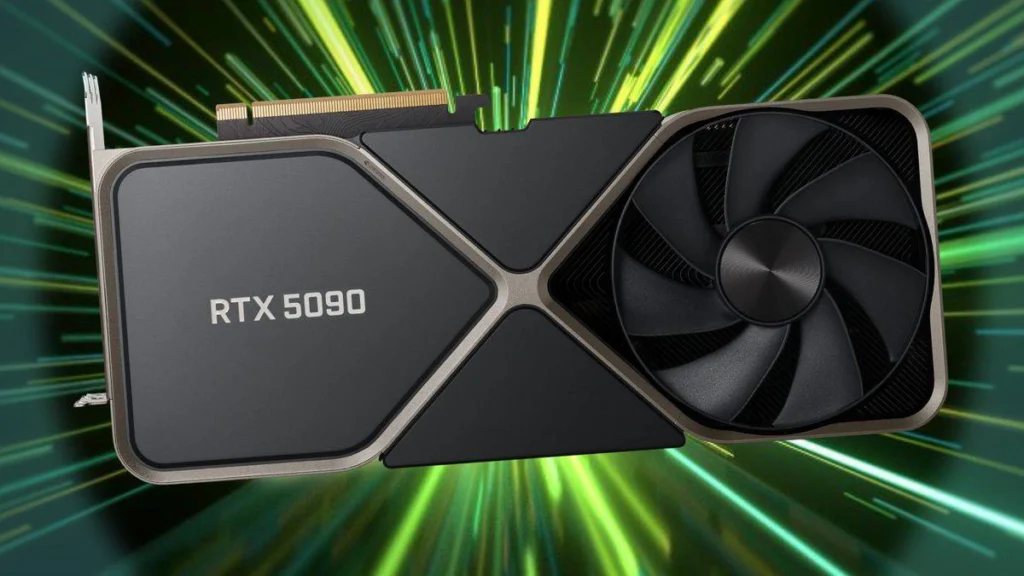
Even though World of Warcraft is mostly CPU-bound, a decent GPU can still make a huge difference—especially if you’re cranking up the WoW graphics settings or playing at higher resolutions. Think of it this way: if your CPU is the “brain,” then your GPU is the “artist,” drawing each scene as you adventure through Azeroth.
Understanding WoW’s Graphics Engine
- CPU Matters More: Historically, WoW puts heavy load on your CPU.
- But Don’t Neglect GPU: Pushing 1440p or 4K visuals at smoother frame rates requires a good graphics card.
NVIDIA vs. AMD Radeon
- NVIDIA RTX 3060–3070: Solid picks for 1080p and 1440p gaming. They’ll handle busy raid scenes without dropping too many frames.
- AMD RX 6600–6700: Great balance of price and performance, especially if you’re not aiming for ultra 4K settings.
When comparing NVIDIA vs. AMD for WoW, it’s all about your budget and what resolution you play on. If you’re happy with 1080p, you won’t need to splurge on a monster GPU. But if you want to see every leaf in Elwynn Forest at 4K, you’ll need a heftier graphics card. In the end, choosing the best GPU for World of Warcraft is about balancing cost, performance, and how much eye candy you really want.
RAM, Storage, and Other Key Components
RAM
When it comes to WoW, the rule of thumb is: the more, the merrier. While 8 GB is usually enough to launch the game, having 16 GB or more is a lifesaver if you’re running heavy add-ons, tabbing out to Discord, or even streaming your heroic raid attempts. If you want the best RAM for WoW, go for at least 16 GB of fast DDR4 or DDR5—it’ll give your system that extra breathing room during intense battles.
Storage (SSD vs. HDD)
Installing the game on an SSD can seriously cut WoW SSD load times. Zoning into a new area or logging in after patch updates feels snappier, and you won’t stare at loading screens while your friends are already halfway through the dungeon. HDDs work in a pinch, but if you want a smooth experience (especially when big patches drop), invest in an SSD.
Motherboard and Cooling
Your motherboard is the backbone of your PC. Make sure it supports your CPU and RAM choices—these are your WoW motherboard requirements. Look for solid VRMs (voltage regulator modules) to keep your CPU stable, especially if you might overclock in the future. As for cooling, a simple air cooler usually does the trick unless you’re pushing a high-end CPU. Liquid cooling can give you better temps, but it’s not mandatory unless you really want to push the limits.
Power Supply
A reliable power supply is crucial for consistent performance. Aim for an 80 PLUS certification (Bronze, Silver, Gold, or higher), and make sure it has enough wattage to handle your CPU, GPU, and any future upgrades. Skimping on the PSU is never a good idea—it’s like giving your WoW character the cheapest armor. Don’t risk random crashes when your guild is relying on you in a raid.
Example Builds at Different Price Points
Budget Build (~$600–$800)
Looking for the best WoW PC under $1000? This budget WoW PC build still packs a punch. Go with an AMD Ryzen 5 or Intel Core i5 and pair it with an entry-level GPU like the NVIDIA GTX 1650 or AMD RX 6500 XT. Aim for 8–16 GB of RAM and definitely throw in an SSD (even a smaller one) to speed up load times. This setup handles casual raids and questing just fine.
Mid-Range Build (~$1,000–$1,500)
If you want better frame rates and higher settings, step up to an Intel Core i5 or Ryzen 5 5600X. Combine that with an RTX 3060 for a smoother experience, especially in busy cities or bigger raids. Go for 16 GB of RAM and consider an NVMe SSD for quick boot times. This is the sweet spot if you want more eye candy without breaking the bank.
High-End Build ($2,000+)
If you’re all-in and crave a high-end WoW rig, try an Intel Core i7/i9 or Ryzen 7/9. Add a premium GPU like the RTX 3080 or AMD RX 6800, and at least 32 GB of RAM. Toss in a high-refresh monitor to see every spell effect crystal-clear. A top-tier motherboard and a fast NVMe SSD round out the dream. Perfect for Mythic raids, 4K visuals, and bragging rights when you log into Azeroth.
Tips from the Reddit Community
Lessons Learned from Reddit Users
Ever browsed a reddit WoW PC build thread? You’ll see tons of community WoW hardware advice on balancing your CPU and GPU so neither becomes a bottleneck. People often share their own real-world WoW performance tips, like how an upgrade from a basic HDD to an SSD shaved seconds off loading screens, or how adding more RAM stopped annoying frame drops in raids. Personal stories help you see what actually works in busy hubs or during big Mythic+ pulls.
Best Practices
- Test in Busy Areas: Don’t just run around a quiet starter zone. Head into crowded cities like Stormwind or Orgrimmar, or jump into large-scale Battlegrounds with War Mode on. That’s where you’ll really notice if your setup can handle the chaos.
- Use Benchmarks: The built-in WoW FPS counter is handy, but third-party tools like MSI Afterburner or HWMonitor can give deeper insights. Track your CPU and GPU usage to spot any bottlenecks.
- Listen to Anecdotes: Reddit is full of everyday players who’ve tested parts in real scenarios. Their performance gains and honest feedback can be more valuable than fancy tech charts—especially when you just want to enjoy WoW without stutters or lag.
Peripheral Considerations
Monitors
When choosing the best monitor for WoW, think about your resolution and refresh rate. If your GPU can handle it, a 1440p or even 4K display makes Azeroth look stunning. But if you’re on a tighter budget, a good 1080p monitor with a higher refresh rate (like 144Hz) can still feel super smooth during raids and big city events.
Keyboard & Mouse
- MMO Gaming Mouse: A mouse with extra side buttons is a lifesaver for WoW. You can bind mounts, macros, or important spells right under your thumb.
- WoW Macros Keyboard: Look for a keyboard that supports custom macros. It’s great for chaining spells or popping cooldowns in the heat of battle. Mechanical keyboards can offer faster response times, but any solid board with programmable keys will do the trick.
Headsets & Sound
Great audio can make the difference when you’re dodging fire in a raid or coordinating in voice chat. A quality headset helps you immerse yourself in the world—and lets you hear those crucial call-outs from your raid leader. Plus, nothing beats the rush of hearing a boss roar right before it drops epic loot.
Maintenance and Future-Proofing
Future WoW Expansions
Blizzard loves adding new content, and each expansion tends to push WoW expansions system requirements further. If you’re aiming for a future-proof gaming PC, pick a CPU and GPU combo that can handle bigger updates down the road. This way, you won’t be stuck scrambling for parts the moment Blizzard announces a new zone or epic raid tier.
Upgradable Components
Think about parts that are easy to replace—like your graphics card or CPU (assuming your motherboard supports it). A few years from now, you might need one of the best upgrades for WoW if a demanding raid boss or a major patch starts stressing your system. A bit of forward planning now means less hassle later.
Regular Cleaning & Updates
Dust is your PC’s worst enemy. Keep the inside of your rig clean so fans can run smoothly, preventing overheating during intense dungeons or PvP battles. Update your drivers frequently, and don’t forget to skim the WoW patch notes. Sometimes, even small tweaks can change how your system performs.
Conclusion
So, what’s the best PC for WoW conclusion? It all boils down to balancing a solid CPU (for large raids and busy cities), a capable GPU (for higher resolutions and smooth framerates), and enough RAM (so you can alt-tab without crashing). An SSD helps too, cutting down on load times and making every zone feel more seamless. Boost your power and gear up faster—buy WoW gold now! Enjoy secure transactions, 24/7 live support, and quick delivery so you can focus on conquering raids and battlegrounds. Don’t wait—unlock your WoW potential today!